
This task shows you how to run a kinematics simulation with laws that are already defined on the mechanism.

Insert the KIN_EX17* .model files from the samples folder.
The Kinematics Simulation dialog box is displayed as described in the
previous task.

-
Click Simulation with Laws
 .
.
The Kinematics Simulation dialog box appears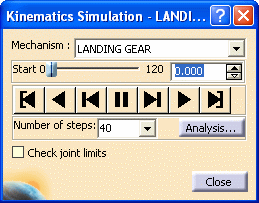
-
Set the number of steps to 10, then click the Play button.

You can use the other buttons to run the simulation again in different modes (backward, step by step, and so on).

Notice that you cannot record simulations within the Simulation with Laws functionality. If you need to record such a simulation or several simulations, refer to Recording Positions.
