
Using the V5 To V4 Migration Batch via the PLMV5ToV4Migration Batch

-
Start a Version 5 Session.
-
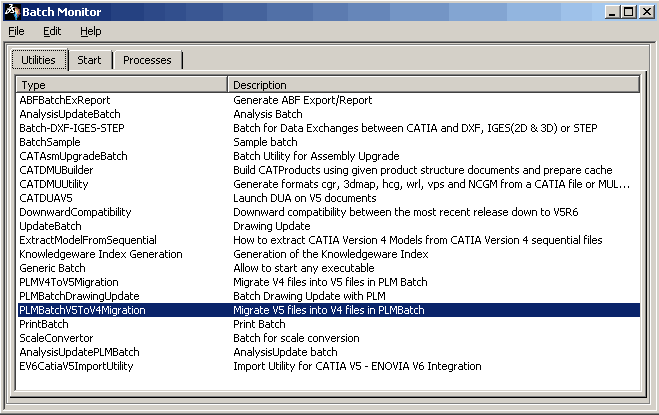
Select the Tools > Utility commands. The Batch Monitor window opens. A list of Version 5 batches along with their description gets displayed in the Type column.
For more information about the Batch Monitor, please refer to Running Batches Using the Batch Monitor, in the Infrastructure User Guide.
-
Select PLMBatchV5ToV4Migration, this tool allows you to convert CATIA Version 5 models into CATIA Version 4 models.
-
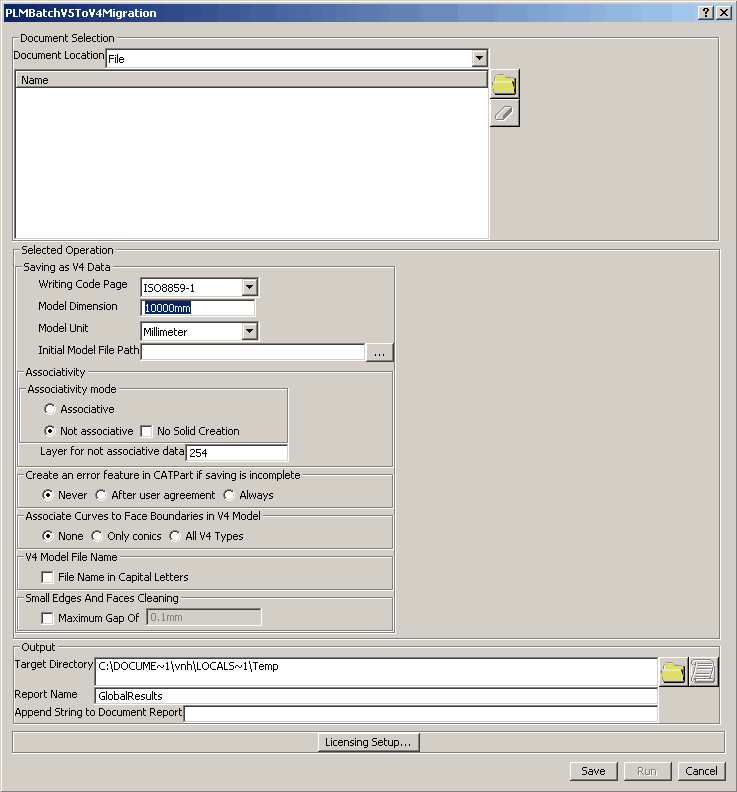
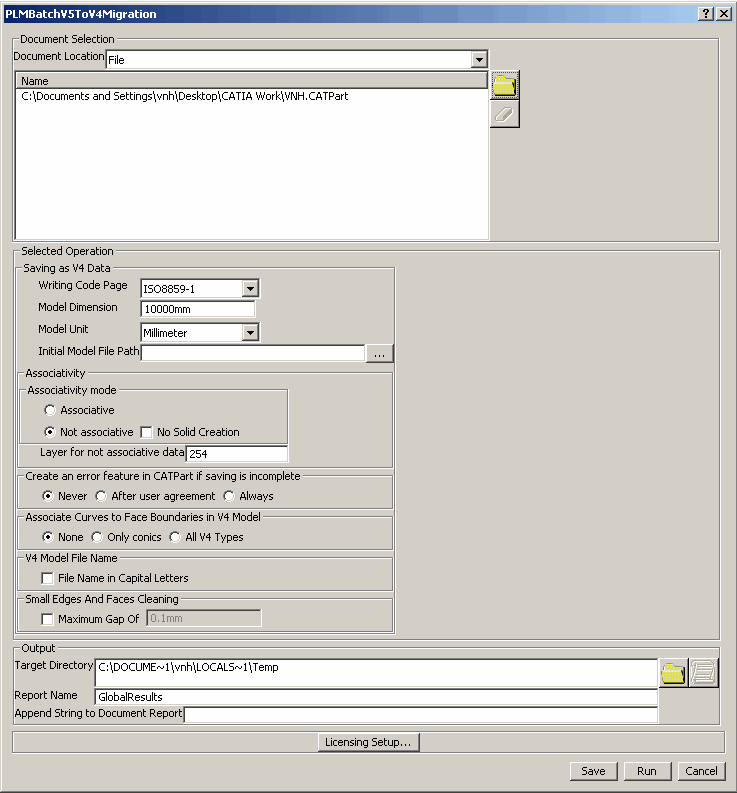
The PLMV5ToV4Migration Batch is displayed. Click on
 to select the file to be migrated.
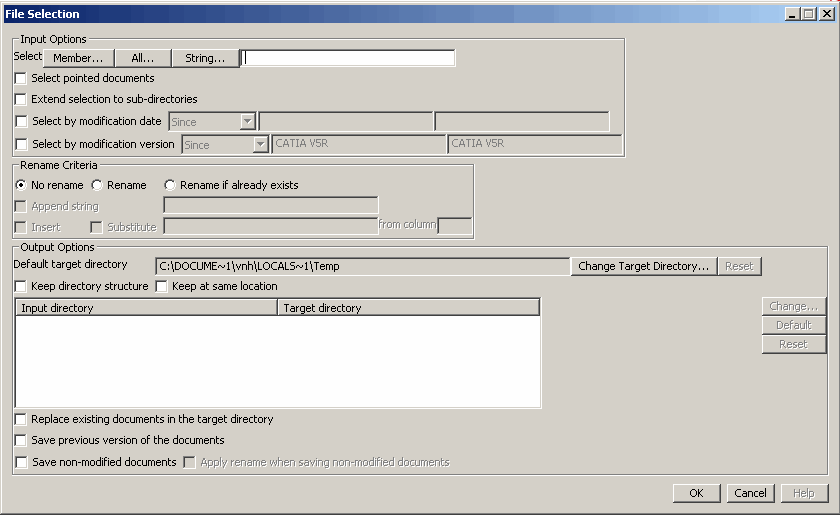
The File Selection dialog box is displayed.
-
Select the file to be imported using Input options
-
Member: You can select one or several V5 documents from the directory.
-
All: You can select all V5 documents in the directory.
-
String: You can select a V5 document of specified string.
-
-
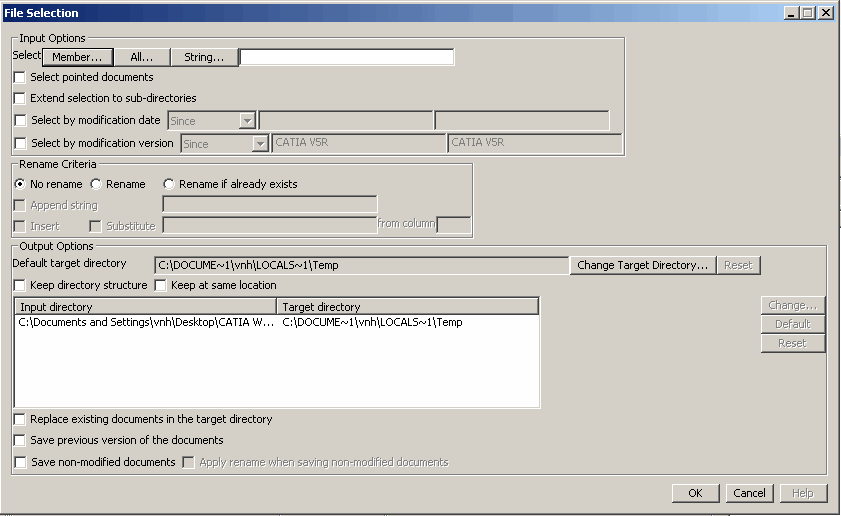
After selecting the input file, click OK.
-
Click Save.
-
Click Run in the PLMBatchV5ToV4Migration window, the Check or Migrate operation is launched.
