


-
Click Symmetric Plane Constraint
 in the Operations toolbar.
 -
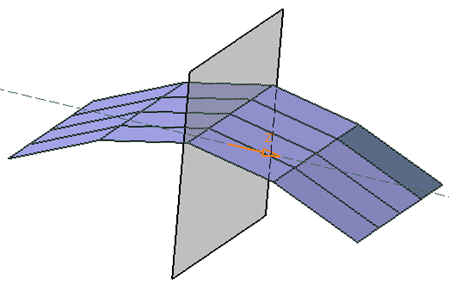
Select the subdivision surface.
-
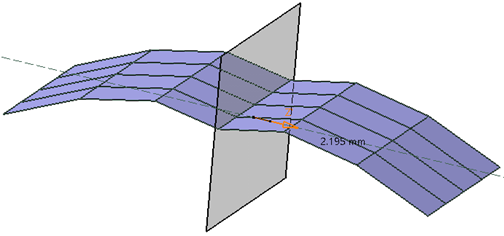
To manipulate the plane, drag the orange arrow.
-
In the Tools Palette, click any one of the following to perform the required actions:
Options Description  Reset All
 Resets all constraints.  Deactivate
Deactivates the current constraint.  Define Robot Plane
 Modifies the origin and orientation of the Robot and exits the Robot definition to return to the previous function.  Reset Robot
Resets the orientation of the Robot to the model axis.  Selection
Lets you select another plane that does not belong to the surface.  Plane Translation
Translates the plane.  Plane Rotation
Rotates the plane.  Switch
Symmetric Side
Switch
Symmetric SideSwitches the symmetry side.  Apply (Enter)
Applies the changes.
 |
Once the mesh is constrained, any further operation on any one side of the mesh will be performed symmetrically on the other side. |
