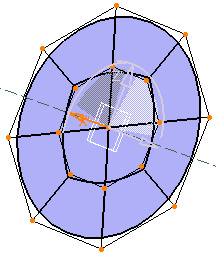
Creating a Densified Circle
Creating a Densified Circle
Creating a Densified Circle
 |
This task shows you how to create a densified circle (a circle with multiple sections). |
 |
A .CATPart document must be open. |
 |
|
| A mesh is aligned along the model axis and the surface is created on the plane parallel to the screen: | |
|
|
|
| A Tools Palette appears to let you modify and edit the surface: | |
 |
|
| For more information, see Modifying and Deforming Surfaces. | |
|
|
|
 ,
from the Open Primitives sub-toolbar.
,
from the Open Primitives sub-toolbar.