

Create a 3D or 2D shape representation containing subdivision surface.

-
Click Modification
 in the Modification toolbar.
 -
Click Trap Mode
 . You can see various types of traps available for selection
 -
Based on you requirement, you can select any of the following traps:
- Square Selection
: selects elements inside a frame defined
by two diagonal points.
- Stroke Selection
 :
selects elements by intersecting edges or faces. The
elements that are selected have the following criteria:
:
selects elements by intersecting edges or faces. The
elements that are selected have the following criteria:- Vertices closest to the curve
- Edges that the stroke intersects
- Faces through which the stroke passes
- Lasso Selection
 : selects elements inside a zone defined
by drawing. The drawn zone is always closed.
: selects elements inside a zone defined
by drawing. The drawn zone is always closed. - Brush Selection
 : selects elements inside a zone defined
by sweeping a brush.
: selects elements inside a zone defined
by sweeping a brush.

Before starting the selection, a handle appears. By moving this handle radially inward or outward, you can define the thickness of the brush. 
- Circle Selection
 : selects elements inside a circle
defined by its centre and a point on the circle.
: selects elements inside a circle
defined by its centre and a point on the circle.
- Square Selection
-
Press Shift and define the selection zone.
Frame Selection Stroke Selection 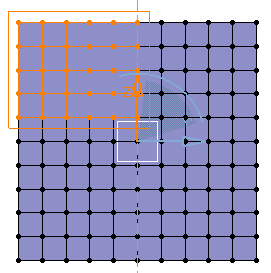
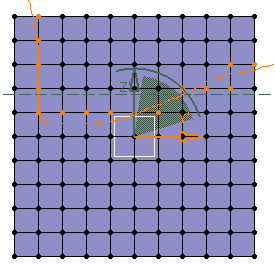
Draw Selection Brush Selection 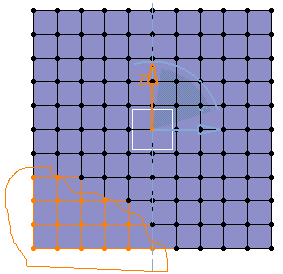
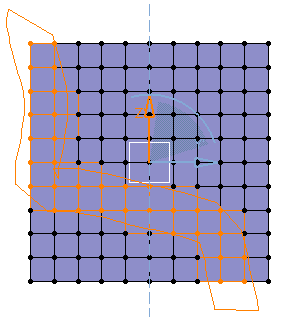
Circle Selection 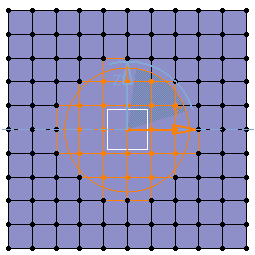
-
Release Shift.
