


-
From the Modification toolbar, click Modification
 .
.
The Tools Palette appears. -
Click Robot Definition
 .
.
You can also access this command by pressing Ctrl+Shift+C. The Tools Palette is modified.
-
Click Wireframe Creation
 .
.You can also access this command by pressing Ctrl+Shift+Y. -
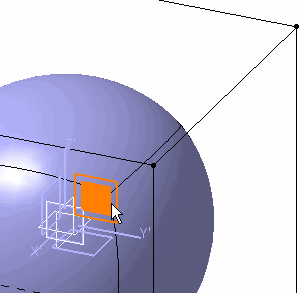
Move the compass to the required position.
The position of the compass determines where the elements are to be created.
-
Move the cursor to highlight a part of the compass:
- If the cursor is close to the center of the compass, you can create a point.
- If the cursor is close to an axis of the compass, you can create a line.
- If the cursor is close to a plane of the compass, you can create a plane.
-
Click to create the element.
The element is added to the specification tree.
