Chain Selection

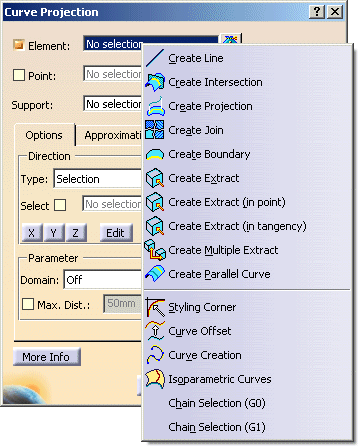
In the contextual commands of the element selection fields the following Chain Selection options are available:
  • Chain Selection (G0) and
  • Chain Selection (G1)
These options can be used to select G0 or G1 contiguous curve and surface elements by one step.
The chain selection is used as follows:
  1. Select the start element of the chain.

  2. Activate the option Chain Selection (G0) or Chain Selection (G1) in the contextual command.
    Starting with the start element all following elements are selected which are connected G0 or G1 continuous to each other.

The G0 and G1 tolerance is specified on the Tolerance tab under Tools > Options > ICEM Shape Design.

Warning:
  • The initial element selected for the chain selection must not be a sub-element.
  • Forks stop the chain selection.
  • Intersections are not detected.