


-
Click the Highlight Lines Analysis icon
 .
.
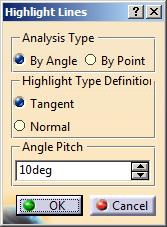
The Highlight Lines dialog box opens.
-
Select one or more surfaces to be analyzed.
-
Select the analysis type and the highlight type.
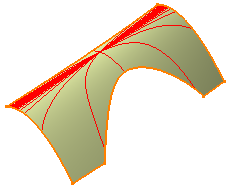
Analysis Type Highlight Type Result By Angle Tangent The compass plane intersects the surface at a given point. Then the tangent to this intersection is calculated.
Therefore, the angle is computed between the first direction of the compass and the tangent to the intersection.
The tangent in each point of the created line is defined through rotations of the angle pitch.
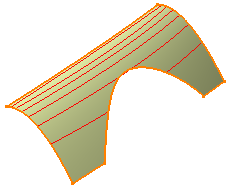
Normal The angle is computed between the Z compass direction and the normal to the surface.
The normal to the surface in each point of the created line has the same angle pitch in a specified direction.
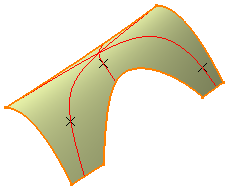
By Point Tangent Define the points on the surface.
The angle is computed between the first direction of the compass and and the tangent to the intersection. The computed angle remains constant at any selected point on that particular highlight line.
Normal Define the points on the surface.
The angle is computed between the Z compass direction and the normal to the surface.
The computed angle remains constant at any selected point on that particular highlight line.
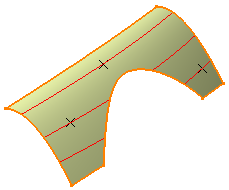

-
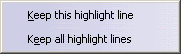
Keep this highlight line
-
Keep all highlight lines
The created curve(s) appears in the specification tree as a datum element.
-
Depending on the highlight type selected, do the following:
- By Angle: Key in an angle, representing the value between the selected direction and the normal or tangent to the surface.
- By Point: Specify the points on the surface.
-
Click OK when you have finished the analysis.
The analysis (identified as Highlight Lines Analysis.x) is added to the specification tree.
