

-
Click the Cut icon
 .
.
The Cut dialog box is displayed.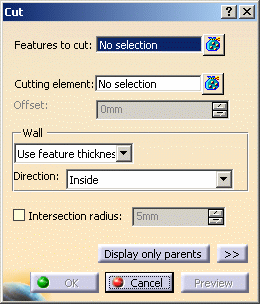
-
Select Shellable Prism.1 as Features to cut. It is easier to select it in the specification tree.
-
Select Top Surface as the cutting element.
-
Click any arrow to reverse the direction indicating which portion of material is to be kept. The arrows must point toward the phone bottom face as shown here:
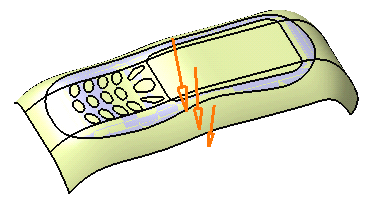
-
Click OK to cut the part and hide the cutting surface to enhance the result:
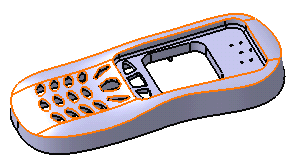
The specification tree indicates this operation under the name of Cut.1.
In a Nutshell
The Cut capability can be used to modify the shape of a functional feature with a styling surface.
To know more about this capability, refer to Cut.
