- part instances in products,
- all types of bodies and geometrical sets in parts
By default, the capture does not manage the visibility status of those elements:
- you create a capture with hidden part instances or bodies,
- you exit the Tolerancing Capture workshop and recall those part instances or bodies from the NoShow, and eventually add annotations and bodies or part instances,
- then you reactivate the capture: those part instances and bodies that were hidden at the creation of the capture are no longer hidden, and the new annotations and bodies or part instances are displayed.
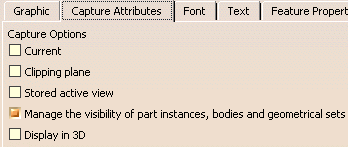
When you select the Manage the visibility of Part instances, bodies and geometrical sets option:
- you create a capture with hidden part instances or bodies,
- you exit the Tolerancing Capture workshop and recall those part instances or bodies from the NoShow, and eventually add annotations and bodies or part instances,
- then you reactivate the capture: those part instances and bodies that were hidden at the creation of the capture are hidden again, and the new annotations and bodies or part instances are not displayed.

- If you add geometry to a body or a part instance that was visible at the creation of the capture, this geometry will be visible when you reactivate the capture.
- If you add geometry to a body or a part instance that was hidden at the creation of the capture, this geometry will not be visible when you reactivate the capture.
- In capture,
you can manage the Show/Hide status of external part instances whose geometries are referenced by annotations in the
Assembly Annotation Set. To manage the hide/show
status of part instances you must select the Keep link with
selected object in Tools > Options > Infrastructure >
Part Infrastructure, General tab, External
References area before creating annotations under the Assembly
Annotation Set.
The Show/Hide status of part instances whose geometries are not referenced by any annotation under the Assembly Annotation Set in which the capture is created, is not be handled by the capture.

 |

-
Select Tools>Options.
In Mechanical Design, select Functional Tolerancing and Annotation and go to the View/Annotation Plane tab.
Select the Manage the visibility of Part instances, bodies and geometrical sets option under Filtering view display using a capture.
-
Select Insert > Capture > Capture

The Capture Creation dialog box appears. -
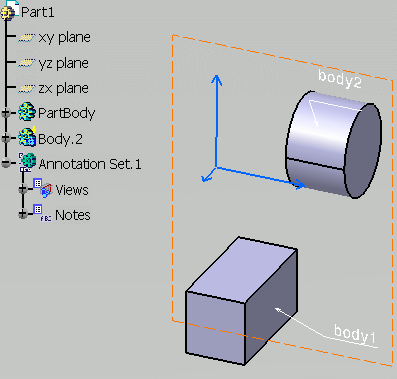
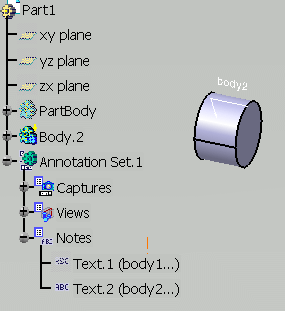
Right-click the PartBody and its text annotation body1 in the specification tree and select Hide/Show contextual menu to hide them.
-
Click OK. You are now in the Tolerancing Capture workshop.
-
Click Exit from capture
 . You are back in the Functional
Tolerancing and Annotations workbench. Capture.1 is created.
. You are back in the Functional
Tolerancing and Annotations workbench. Capture.1 is created. -
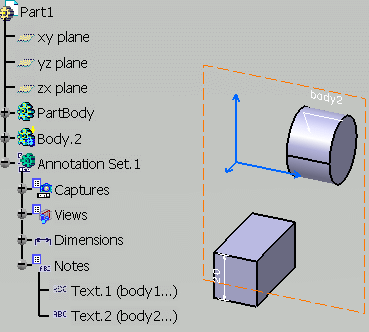
Recall PartBody from the Hide/Show contextual menu and add a dimension on this body.
-
Now double-click Capture.1 to activate it. Only the elements that were visible when you have created Capture.1 are visible.
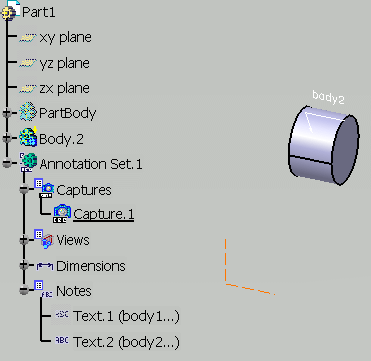
The same behavior is achieved at any time by selecting the Manage the visibility of Part instances, bodies and geometrical sets option in the Capture Attributes tab of the Capture properties.