This functionality is available in Electrical Part Design workbench only.

- A protection part is a mechanical object used to cover one or more bundle segments.
- The bundle segments must be tangent at their extremities, within the same geometrical bundle.
- The centerline of the protection part is a combination of the bundle segment centerlines.
- It is possible to add supports to bundle segments inside a protection part.


-
Click Define Protection Part
 .
.
You are prompted to select a part. -
Click Part1 in the specification tree.
The Define Protection Part dialog box opens: 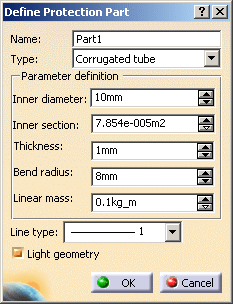
-
Enter/change the name for the protection part.
-
Select the protection part type.
It can be Corrugated tube or Tape. When the feature is defined, the type is frozen. - Corrugated tube: A tube defined through an inner diameter, a thickness, a bend radius and a linear mass.
- Tape: A strip defined through a width, a thickness, a bend radius delta
and a linear mass.
The inner diameter is the bundle segment diameter.

The tape and corrugated tube type of protection parts are also displayed as a tube in the geometry. -
Enter the parameter values:
For the corrugated tube: - Inner diameter: Enter a value to update the section accordingly.
- Inner section: Enter a value to update the diameter accordingly.
- Thickness
- Bend radius: It must be greater than the sum of the inner diameter plus the thickness.
- Linear mass
For the tape: - Width
- Thickness
- Bend radius: It must be greater than the sum of the inner diameter plus the thickness.
- Linear mass
-
Select the Line type.
Line type defines the representation of the protection part viewed in 2D when using the Electrical Harness Flattening workbench. New line types can be defined with the Tools > Options menu. -
The Light geometry option allows you to create the protection part geometry according to two modes:
- When the option is selected, the geometry looks like a cylinder and the CATPart document created is smaller. It is the default value.
- When you clear this option the geometry looks like a tube.
-
Click OK to validate.
The specification tree is updated: 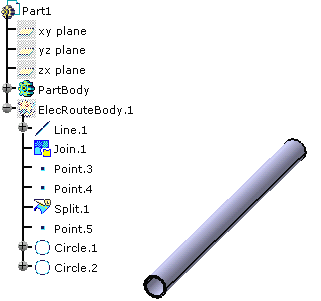


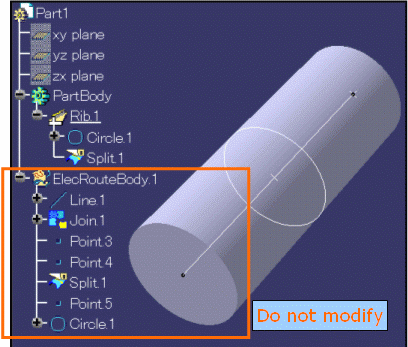
Note that if you modify the geometry, you must not change any object under the ElecRouteBody at the risk of getting unpredictable behavior when instantiating, modifying or updating the protection part.

About Customizing Protection Parts
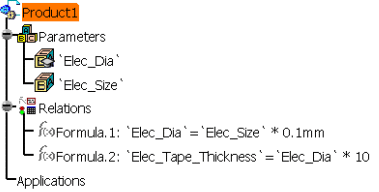
- You can create parameters and relations between new parameters and protection attributes, knowledgeware rules, and reactions.
- You can store this internal protection reference containing formulae, parameters, and rules under a catalog for future instantiation.
The specification tree showing the relations is as shown below: