The customization enables you to generate a report displaying the actual state of settings of all tab pages.

-
Select Tools > Options.
The Options dialog box appears. -
Click
 to create the dumping settings to a .vbs script macro file.
The Dump of Parameters dialog box appears.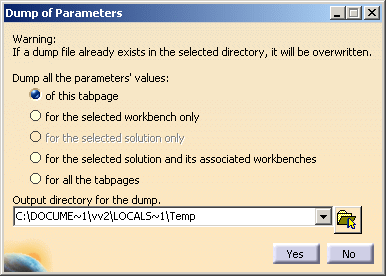
-
Select the appropriate options.
-
Browse the output directory.
-
Click Yes to dump the settings.
A dump file is created with an extension .catvbs. -
Click
 to reset the default parameter values.
The Reset dialog box appears.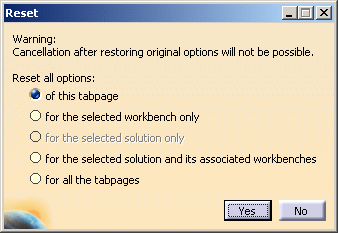
-
Select the options for which you have to reset the default values.
-
Click Yes.
The default value parameters are restored.
For more information about the customizing settings, refer to Infrastructure User's Guide: Customizing: About Settings.
