

Create a sketch containing two or more intersecting closed profiles.

-
Select the profiles to be trimmed.
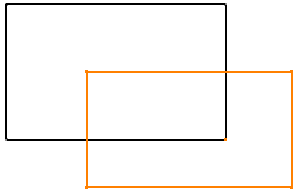
-
Perform the Boolean trimming operations by right-clicking any of the selected profiles and choosing Selected objects > Add, Subtract, or Intersect.
Command Result Add 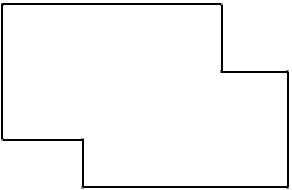
Subtract 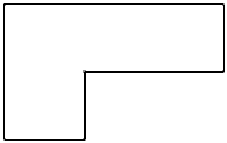
Intersect 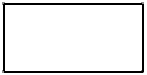

- Connect and conic curves, output features, and construction elements are not impacted by the Boolean trim commands.
- In case of a multi-domain profiles, the Boolean trim operation is done only on the elements inside the multi-domain profiles. The elements which are two layers inside the multi-domain profile are considered to be outside of the multi-domain profile.
