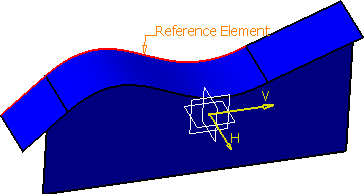
This task shows how to use an intersection edge or a tangent intersection edge from a 3D part as an input for a projection, or an offset operation in Sketcher.
 |
For the purpose of this scenario, you will use the intersection edge for projection operation, but you can use it in the offset operation too. Only difference between the projection and the offset operation is that in offset, a dashed curve is displayed simulating the offset when you select an intersection edge. |


Project an Intersection Edge
You can project an intersection edge onto the sketch plane.
-
Click Intersection Edges activation
 in the User Selection Filter toolbar (Semantic
Edges sub-toolbar).
in the User Selection Filter toolbar (Semantic
Edges sub-toolbar).
-
Click Project 3D Elements
 in the Operation toolbar (3D Geometry
sub-toolbar).
in the Operation toolbar (3D Geometry
sub-toolbar).
The Projection dialog box appears.
-
In the Element(s) to project box, select an edge to be projected as the reference element.
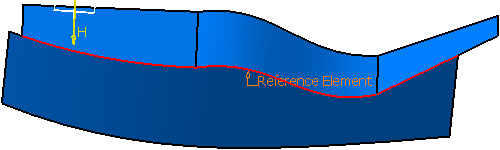
If an edge is preselected, the selection is taken as a reference element and the behavior is similar as shown above.
If you select the same edge again in the 3D area, the selection is automatically removed from the Element(s) to project box. -
Click OK.
An intersection edge is projected onto the sketch plane.
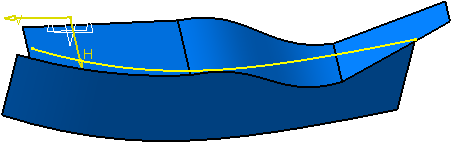
If the selected edge is resulting from an intersection, an intersection edge corresponding to the whole intersection is projected onto the sketch plane. Otherwise, the initial selected edge is taken into account for the projection.
Project a Tangent Intersection Edge
-
Click Tangent Intersection Edges activation
 in the User Selection Filter toolbar (Semantic
Edges sub-toolbar).
in the User Selection Filter toolbar (Semantic
Edges sub-toolbar).
-
Click Project 3D Elements
in the Operation toolbar (3D Geometry
sub-toolbar).
The Projection dialog box appears. -
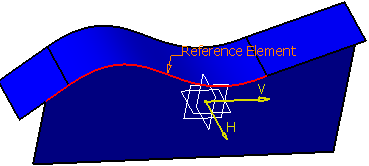
In the Element(s) to project box, select an edge to be projected as the reference element.
-
Click OK.
A tangent intersection edge is projected onto the sketch plane.
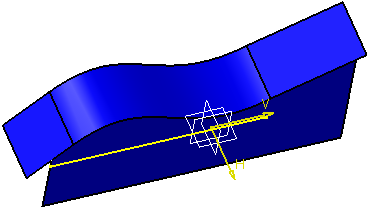
If the selected edge is resulting from an intersection, the propagation of the selection to the whole intersection is stopped where continuity in tangency is interrupted. In this case, a tangent intersection edge corresponding to the tangency propagation is projected onto the sketch plane.
When the selected edge is not the result of an intersection, the initial selected edge is taken into account to propagate the selection in tangency and create a tangent edge as input for the projection.