
This task shows you how to re-use a 2D component you previously referenced in a catalog.

Create a component catalog and enter a new CATDrawing in which you want to insert one or more 2D components.

-
Click the Catalog Browser icon
 from the Catalog Browser toolbar.
The Catalog Browser dialog box appears with the following information:
- the name of the currently open catalog.
- the catalog chapter tree.
- a preview of the selected component.
- the possibility to perform a query on available components (see Knowledge Advisor User's Guide for more details on formulas).
-
Click the Browse another catalog option
 from the Catalog Browser dialog box and open the
BoldSample.catalog document.
from the Catalog Browser dialog box and open the
BoldSample.catalog document.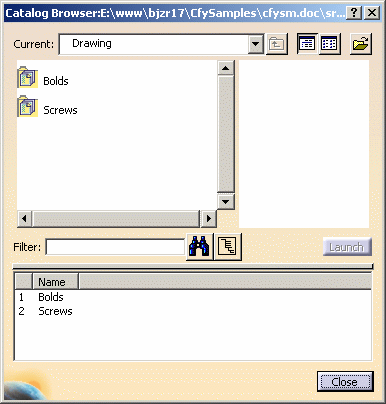
-
Double-click the Bolds chapter from the chapter tree.
The list with the components included in the Bolds chapter appears in the dialog box. -
Click Detail.7 from the list available.
You now have a preview of the component you just selected.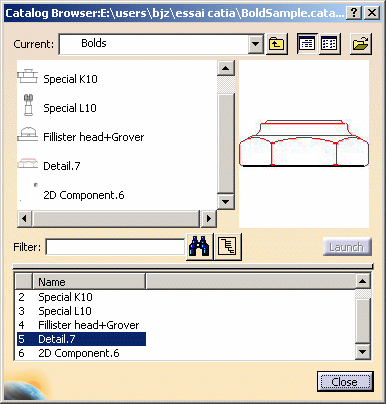
-
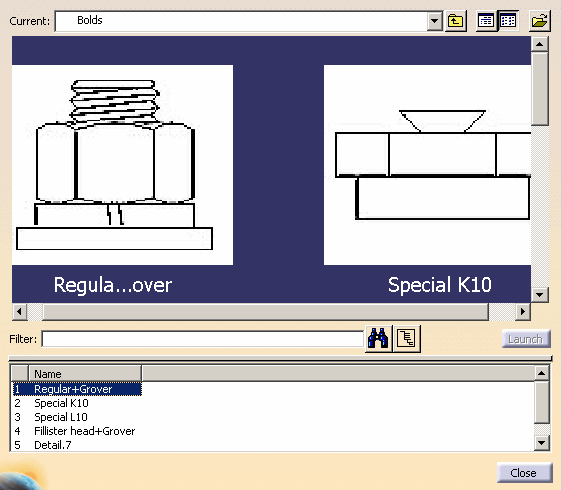
Optionally, click
Large icons
 and zoom in on the preview.
Zoomed in icons with high resolution are displayed in the preview.
- Drag Detail.7
from the list and position this component onto the desired CATDrawing.
The Tools Palette toolbar is displayed with the following commands:
Link with detail: instantiate a 2D component. The component
instance is linked with its reference in a catalog.
 By default, this icon is activated.
 Expose: instantiate and expose a 2D component. The component
instance is not linked to its reference in a catalog, but to an
identical 2D component reference in a detail sheet.
Expose: instantiate and expose a 2D component. The component
instance is not linked to its reference in a catalog, but to an
identical 2D component reference in a detail sheet. Explode: instantiate and explode a 2D component. The component
instance is not linked to its reference, so behaves as independent
geometry and annotations.
Explode: instantiate and explode a 2D component. The component
instance is not linked to its reference, so behaves as independent
geometry and annotations. Fixed together: instantiate and explode a 2D component, and apply
a fixed together constraint to the geometry elements.
Fixed together: instantiate and explode a 2D component, and apply
a fixed together constraint to the geometry elements.
The fix together constraint is not applied to annotations, dimensions nor dress-up elements.  Change component origin: define another origin in the view.
 Change component position: define another position in the
view.
Change component position: define another position in the
view. Change component angle: define the angle in the view.
 Flip component horizontally: rotate horizontally the 2D component
instance.
Flip component horizontally: rotate horizontally the 2D component
instance. Flip component vertically: rotate vertically the 2D component
instance.
Flip component vertically: rotate vertically the 2D component
instance.Angle: define a value for the angle.
Scale: define a value for the scale.
-
In the Tools Palette toolbar, click Link with detail
.
You can also position the 2D
component. Click the view: the 2D component instance is created.
More About Re-using a 2D Component from a Catalog
- What you can also do is display the contextual menu on the selected component and select the Instantiate option. You will then position the component on the CATDrawing.
- If you double-click the component from the Catalog Browser, the Tools Palette toolbar appears which lets you modify the 2D component origin or angle.
- The CATDrawing in which you locally instantiated a catalog component is autonomous. In other words, you do not necessarily need the catalog to be able to read the CATDrawing.
- There is a link that exists between the CATDrawing and the catalog.
