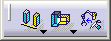
The hyperlinks below link to the procedures that describe how to use the commands in the Layout Tools toolbar and its associated sub-toolbars The Layout Tools toolbar has two sub-toolbars:
 |
See Layout Tools/Align, below |
 |
See Layout Tools/Snap, below |
 |
Attach See Attaching Elements |
|
|
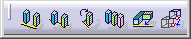
Align sides See Aligning Objects |
 |
Align center See Aligning Objects |
 |
Rotate to align See Aligning Objects |
 |
Distribute See Distributing Elements |
 |
Align Planes See Aligning Objects |
 |
Quick translate See Using Quick Translate to Move Resources |
|
|
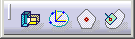
Snap Two Parts See Snapping Resources |
 |
Snap with three holes See Snapping Using Three Holes |
 |
Snap with polygon center See Snapping Using Polygon Center |
 |
Snap surface See Snapping a Surface |