
Licensing
- Clash

- Distance and Band Analysis

|
|
Licensing |
| The following commands may not be available in every configuration. | |
|
The Simulation Analysis Tools toolbar has one sub-toolbar: Dynamic Clash. The hyperlinks below link to the procedures that describe how to use the commands in the Simulation Analysis Tools toolbar and its associated sub-toolbar.

 |
See Dynamic Clash, below |
 |
Analysis Configuration See Selecting the Analysis Configuration |
 |
Analysis Mode On/Off See Setting Analysis Mode |
 |
Analysis Display On/Off See Setting Analysis Mode |
|
|
Clash See Using Collision Checking |
|
|
Distance and Band Analysis See Measuring Distances and Using Band Analysis |
 |
Interactive Analysis See Seeing Distance Analysis Outside of Simulations |
 |
Visualization Settings See Controlling Visualization Settings |
 |
Data Readout See Using Data Readout |
 |
Simulation Trace See Using Simulation Trace |
 |
Message Window Manager See Managing Message Windows |
|
|
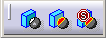
Clash Detection (Off) See Setting Automatic Collision Detecting |
 |
Clash Detection (On) See Setting Automatic Collision Detecting |
 |
Clash Detection (Stop) See Setting Automatic Collision Detecting |