Recording a Camera Track

This task shows how to create a camera track recording viewpoints through the simulation functionality. 
  • Open the SIMULATION_WITH_VIEWPOINTS.CATProduct document
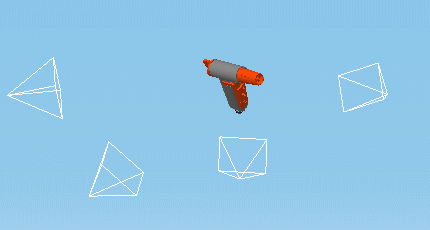
    A camera and 3 viewpoints are already defined.
  • In the Specification Tree, right-click the Camera 1 camera, select Properties in the contextual menu and then Update camera from view to permanently update a camera from the current view.

This enables you to create a camera track by simply navigating in the main window using the pan, rotate and zoom commands and clicking the record button of the track recorder each time you wish to insert the current view as a position in the recorded track. You no longer need to open a camera window.

  1. Select camera.1 in the specification tree.

  2. Click  Track  .

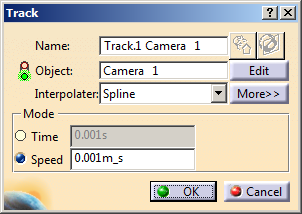
    The Track dialog box and the Preview window, the Player, the Manipulation toolbar and the Recorder appear.


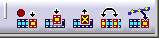
  1. In the Recorder toolbar, double-click  Record  to set the auto insert mode.


The camera viewpoint is stored in the track object each time you click Record (Insert). You can, in this way, record a series of viewpoints which when combined and compiled create your animation.

Note: The default interpolator for camera tracks is Linear.

  1. Pan, rotate and zoom to define the next view you wish to insert in the camera track.

  2. In the Recorder toolbar, click Record  to record the next view in the camera track.


You can click Modify(M)    to modify the current view in the camera track.
  1. When done, in the Track dialog box, click OK .
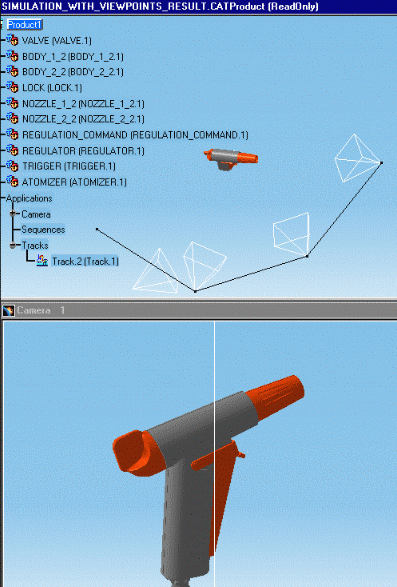
    The track is recorded and identified in the specification tree.

Replaying your simulation

  1. Open the camera window (Window > Camera Window) and tile the two windows. This will allow you to see the camera viewpoint better as you replay your track.

  1. Replay your simulation, for this: double-click Track.2 in the specification tree.
    Use the dedicated DMU player. 

  2. Hide the simulation track using the Hide/Show capability.
    This is what you obtain (the track is in no show space).

Use track capabilities in this way to produce an animated inspection of your design.

For more information on track capabilities, see the DMU Fitting Simulator User's Guide.