
- Please note that all MULTICAx Plug-ins are on a dedicated media. You need this media to install them.
- Never modify data generated in V5: information could be lost and the MULTICAD Update could result in incorrect results.
- Part Number must be unique, all parts with the same name are considered as identical.
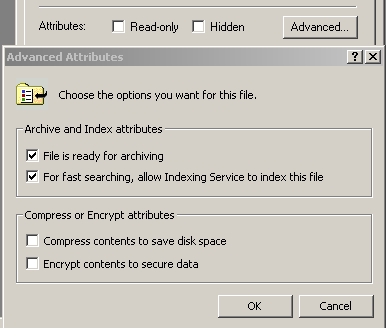
- On Windows, make sure the files to translate are not encrypted: push
the Advanced button in the Properties dialog box of the file
and uncheck the Encrypt contents to secure data option.
The MULTICAx JT Plug-in allows you to import JT data
Protocols and attributes
MULTICAx JT Plug-in does not support:
- Representations other that B-Rep, assembly and visualization (such as PMI).
- Free points.
- Assembly instance level colors.
- Attributes such as layer and name.
- JT Big-Endian file type.
Licensing requirements
JT Versions 8-10 are supported.