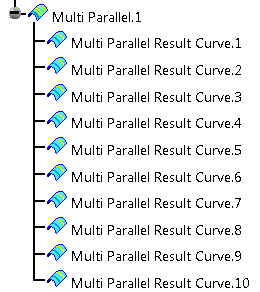
Each parallel curve is computed by applying an offset to the previous one.
You can apply the same offset to all parallel curves, or apply a specific offset to selected curves.

Open the RampSupportGA.CATPart document.

-
Click Multi-Parallel Curves
 in the Grid Design toolbar.
-
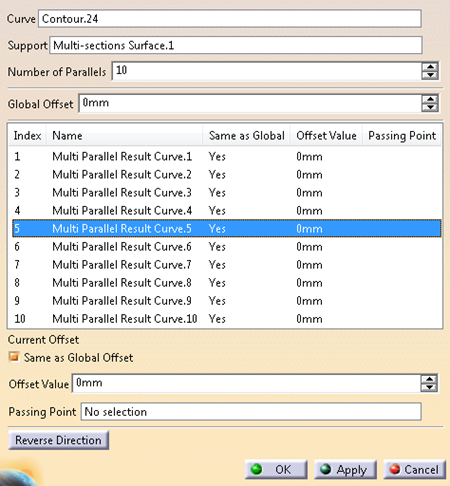
Select the curve from which the multi-parallel curves are computed.
-
Select a surface to support the multi-parallel curves.
If the selected curve is a Composites reference element, the support surface is automatically selected. -
Enter the number of curves to create in the multi-parallel curves feature.
-
Define the global offset to apply to all curves in the multi-parallel curves feature.
In the table: - When the global offset is applied to a curve, Same as Global is set to Yes and Offset Value indicates that of the Global Offset.
- When a different offset is applied to a curve, Same as Global is set to No and Offset Value indicates the actual offset.
Edit the value of Global Offset without selecting curves.
The Offset Value of all curves with Same as Global set to Yes is modified globally.
The Offset Value of the curves with Same as Global set to No is not modified.Select several curves in the table using Ctrl or Maj key and do one of the following.
Only curves with the identical Same as Global status can have their Offset Value edited in one shot. - If all selected curves have their Same as Global status set to Yes, clear Same as Global Offset and enter a new Offset Value (Both below the table).
Same as Global status is now No, the Offset Value is the one you specified. - If all selected curves have their Same as Global status set to No, modify the Offset Value below the table.
Same as Global status is still No, the Offset Value is the new one.
- If all selected curves have their Same as Global status set to Yes, clear Same as Global Offset and enter a new Offset Value (Both below the table).
Alternatively, select curves in the dialog box, clear the Same as Global Offset check box
and select a point through which the current curve must pass.
A contextual menu is available to create the point.-
Click OK.
The Multi-Parallel Curves are created under the current In Work Object.