
Messages generated by tessellation errors are accessible
via an information button at the bottom-right corner of the Web Viewer.

At the beginning of your session, the information button is
deactivated. If a tessellation error occurs, the button is activated and
will remain so until the end of your session.

-
If a tessellation error occurs and the information
 button at the bottom-right corner of the Web Viewer is activated, click
the button in order to see the error message.
button at the bottom-right corner of the Web Viewer is activated, click
the button in order to see the error message.
The error message appears in the Viewer Space.
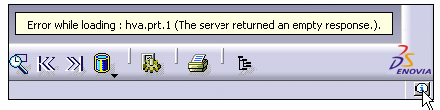
-
To remove the message, click anywhere within the message box.
The stack of messages has a maximum size of 6. Each click on the button will step you backwards in the stack of messages.
