Tool path editor
 is
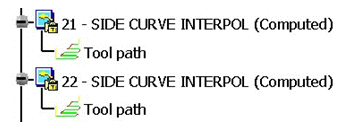
available trough the contextual menu of the tool path in the specification
tree
is
available trough the contextual menu of the tool path in the specification
tree
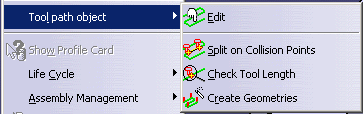
or in the Tool Path
Management toolbar
 .
.
However tool path editor is not supported by V4 NC Lathe Operation.
V4 NCMill Cycle Behavior
Tool path editor is available on NCMILL cycle operations.
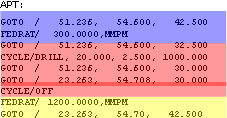
Tool path of NCMILL cycle operations is created from APT file:
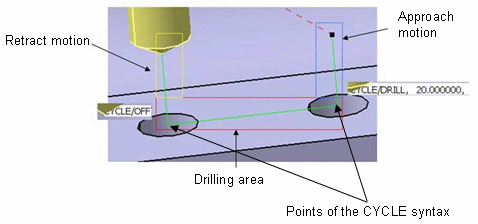
- a drilling area is described by a PP word (CYCLE output syntax) and is represented by the GOTO statements of the CYCLE syntax. Links between CYCLE syntax and parameters are lost.
- Macros motions (approach and retract) are described by tool path points.
The difference with V5 axial cycles is that the drilling area has no real representation and is described by the points located between CYCLE/DRILL and CYCLE/OFF in the APT file.
To modify:
- the CYCLE syntax, use the PP Word Modification
 command.
- the points of the CYCLE syntax (between CYCLE/DRILL and CYCLE/OFF in
the APT) or the macros motions, use Point
Modification
 or Modify feedrate
 commands.
Example:
Modifying Holes Depth
-
Click PP Word Modification
in Tool Path Editor
dialog box. -
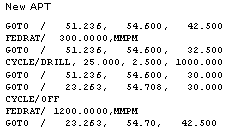
Edit the CYCLE syntax, and replace the 20.000 value of “CYCLE/DRILL, 20.000, 2.500, 1000.000” by the new depth value.
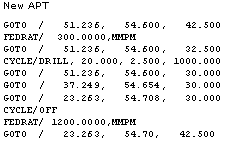
Resulting APT is:
Modifying Feedrates
For Approach and Retract Feedrates
-
Click Modify feedrate
in the tool path area editor. -
Change the feedrates.
For plunge feedrate
-
Click PP Word Modification
in Tool Path Editor
dialog box. -
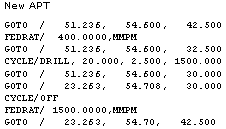
Edit the CYCLE syntax, and replace the 1000. value of “CYCLE/DRILL, 20.000, 2.500, 1000.000” by the new feedrate value
Resulting APT is:
Adding a Point in the CYCLE Output Syntax
-
Click Point Modification
in Tool Path Editor dialog box. -
Insert a point at
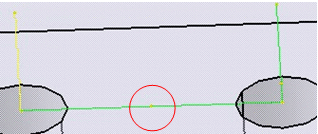
between the 2 drilling points.
Resulting APT is: