 |
Sections used to create
structures can be:
Before you start working, make up a list of the catalog and/or user sections you will need. Catalog and user sections can then be accessed directly via the Section list of the appropriate dialog box. In Equipment Support Structures, sections are saved in a folder defined in your settings (sections storage path). In Structure Functional Design, sections are saved in a folder managed as a project resource (structure sections path). |
||||
 |
This task shows how to make up a list of standard catalog and user sections suited to your needs. | ||||
 |
No sample document is provided. | ||||
Standard Catalog Sections |
|||||
 |
1. |
Double-click the Section
 icon.
icon.
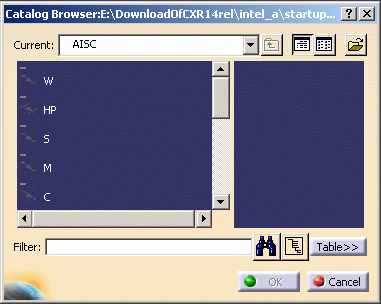
The Catalogs Browser dialog box opens letting you browse and preview the contents of the current catalog. The default location for the standard section catalogs is |
 |
||
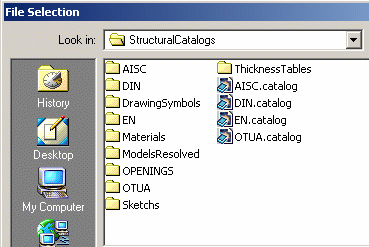
To choose another catalog, click the Browse another catalog
 icon to open the File Selection dialog box.
 |
 |
||||
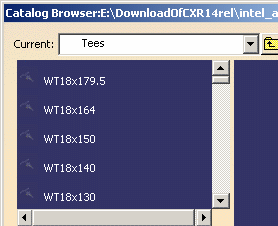
| 2. | Browse the list of families in the Catalog Browser dialog box and double-click the family of interest, for example Tees. |
 |
|||
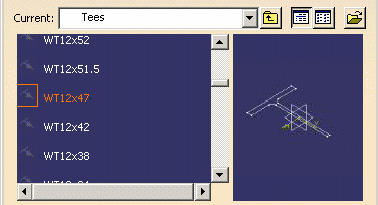
| 3. | Browse
the list of shapes and select the section of interest, for example
WT12x49, then click OK in the dialog box.
For information on options in the Catalog Browser, see Using Catalogs in the Infrastructure User's Guide. |
 |
|||
| 4. |
Repeat until you have selected all catalog sections you are likely to
need. Copies of the sections are added to the sections folder defined in your settings in the case of Equipment Support Structures, or in the project management file in the case of Structure Functional Design. |
||||
 |
The Other Section... option in the Section list of the appropriate dialog box also gives you access to the catalog browser. | ||||
User-defined SectionsUser-defined sections are of two types:
Both types of section can be created using the
Sketcher. |
|||||
|
|
1. | To make up a
list of user sections:
Double-click the Section
Or, Save resolved sections directly in the sections folder defined in your settings in the case of Equipment Support Structures, or in the project management file in the case of Structure Functional Design. |
|||
|
|
|||||
