|
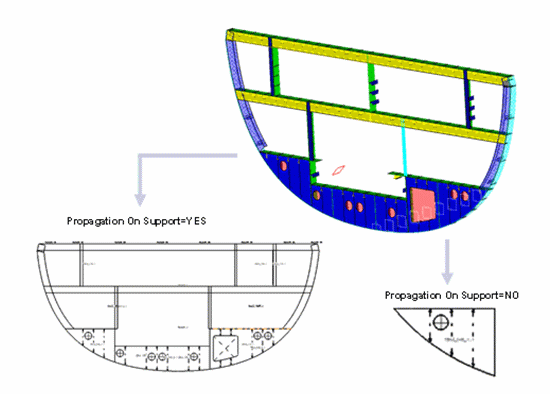
This task explains how to generate graphic replacement for plates. | |
 |
The sample XML file provided with this application is Structure_GVS.xml. This file is located in ../OS/resources/standard/generativeparameters. Customizing parameters in this file affects the appearance of your drawings and is an administrator task. The reference planes that will be used for a given project are defined in an XML file pointed by a PRM resource:
For more information, see Project Reference Planes. |
|
 |
Appropriate application licenses including one for Generative Drafting are required. | |
 |
For information on how to create views using generative view styles, how to set view style parameters or more generally on administering generative view styles, see the Generative Drafting User's Guide. | |
|
For graphic replacement for reference plane systems, see Graphic Replacement for Reference Plane Systems. |
||
 |
In the sample XML file, generative view style parameters for plates are located towards the bottom of the file under StructureObjects. |
|
|
||
|
Draw Yes extracts the object. No indicates the object will not be extracted. |
||
|
GraphicReplacement Indicates whether to use graphic replacement. Yes or No. |
||
|
Angular Tolerance To trigger this type of view in degrees. Default value is 15.0. |
||
LogicalViewGeneration
|
||
|
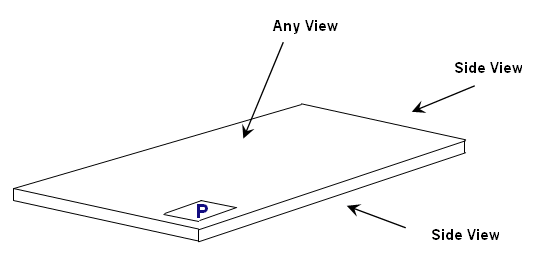
ViewType There are two view types for plates: SideView and AnyView.
Each have NearSide and FarSide parameters, and AnnotationTextStyle parameters. SideView also has MaterialExtrusionSymbol parameters. Note: Logical and Functional Tolerancing and Annotation (FTA) Section are the only modes, where you can compute AcrossSide parameters, which are similar to NearSide and FarSide parameters. The default values are same as NearSide values. If you are not interested in an AcrossSide analysis, you need to synchronize Near and Across Linetype and LineThickness. |
||
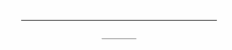
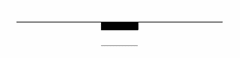
MaterialExtrusionSymbol
|
||
WeldSymbol
The following is the weld symbol on plate.
|