

-
Select Workshop Documents Extraction
 .
.
The Workshop Documents Extraction dialog box appears.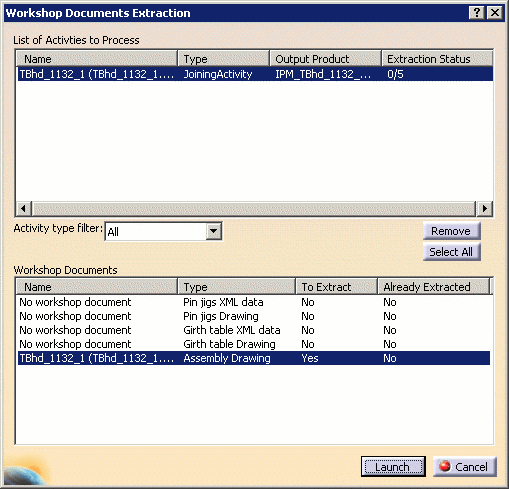
-
Select an Assembly operation in the PPR tree.
-
Click Launch. A progress dialog is displayed.
-
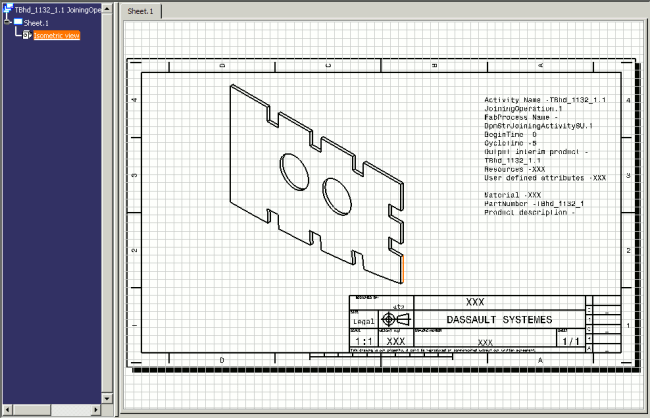
Open the assembly drawing at the saved location using File > Open.
For DPM - Structure Lofting, the default location for saved workshop documents is
D:\DELMIA\PPRClient\data\product_cadpath\. Therefore, the assembly drawing above will be located atD:\DELMIA\PPRClient\data\product_cadpath\AssemblyMacroActivity\TBhd_1132_1.1\TBhd_1132_1.1 JoiningOperation.1_Assembly Drawing.CATDrawing.For Structure Manufacturing Preparation, the default location is
C:\temp, and the assembly drawing above will be located atC:\temp\AssemblyMacroActivity\TBhd_1132_1.1\TBhd_1132_1.1 JoiningOperation.1_Assembly Drawing.CATDrawing.Please refer to Managing Project Resources to change the default location for saved workshop documents.
