Make sure that entries in the PRM file and Workshop Document style xml file are correct. For example, DpmStrProfileStraightDrwStyle and DpmStrProfileXMLDataStyle. Refer to Managing Project Resources for more information.
Important: You must have already generated the in-process model (IPM). If you have not done so, you will not be able to extract workshop documents.

-
Click Workshop Documents Extraction
 .
.
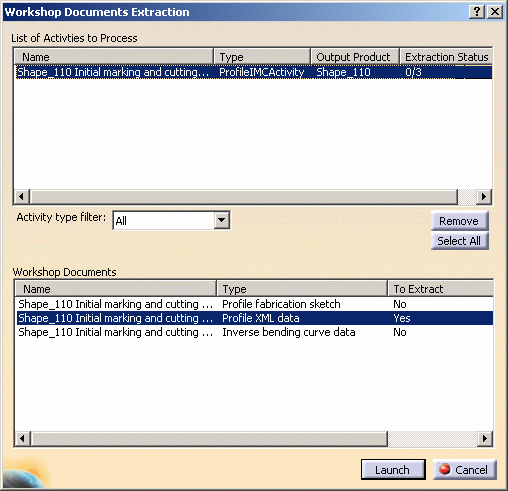
The Workshop Documents Extraction dialog box appears. -
Select an initial marking and cutting activity associated to a profile.
Dialog box appears showing the possible workshop document extractions for this activity:
- profile fabrication sketch
- XML data for profiles
- IBC data (for curved profiles only).
-
Click the To Extract column to indicate whether or not you want to extract the associated document:
Clicking this column switches the value from Yes to No and vice-versa.
Set the To Extract column to Yes to extract profile XML data only. -
Click Launch when done.
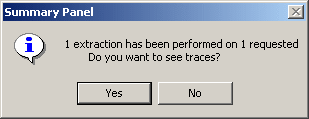
Request file is generated and saved in the location identified in the project resource management (PRM) file (by default, workshop documents are saved in C:\temp, see Managing Project Resources). .A message box appears summarizing the process and indicating how successful it has been.
-
Click No to continue if the extraction was successful or Yes to see traces if needed.
-
Open the profile XML data file you have just created.
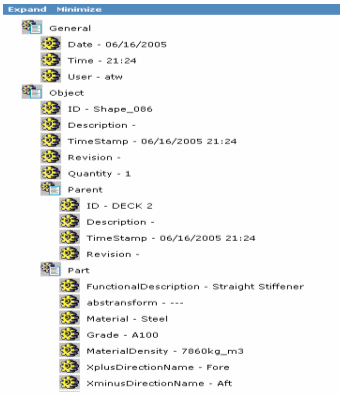
Here is an example of a Profile data generated in an XML file.