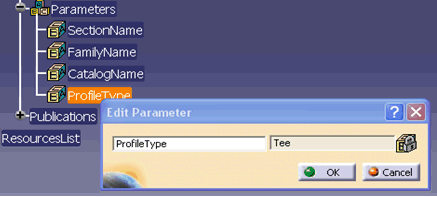
- Tee
- Angle
- RectangularBar
- Beam, Pipe
- RectangularHollow
- Bulb
- FlatBar.
If the profile type differs from those listed, then make an entry of the profile type in the CATStrAttachmentLineInterestingFaces.CATNls file before creating the attachment lines. An entry of every profile type of the stiffener should be in the CATStrAttachmentLineInterestingFaces.CATNls file. This file is located in the run time view.
The file is located in the message catalog directory:
~intel_a\resources\msgcatalog
-
Find the intersecting faces with the plate.
Every face has a key value assigned to it. For example, the intersecting faces with the plate for profile type Tee are WebInner+ and WebInner- . -
From the intersecting faces, find the key values corresponding to each of the faces.
The key values are declared in CATStrSectionNamingKeys.CATNls. For example, the key values for the Tee section are:
- WebInner+ : 12
- WebInner- : 13
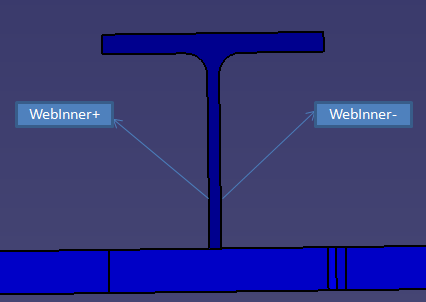
More generally, if the profile type is ABC, there are four intersecting faces, and the key values are 11, 12, 13, 14. then the name of the profile type / index pairs are:
- ABC1 = 11
- ABC2 = 12
- ABC3 = 13
- ABC4 = 14
For more details about naming keys, see Naming Section Characteristics.
-
Enter the profile type and the corresponding key values in the CATStrAttachmentLineInterestingFaces.CATNls file.