 |
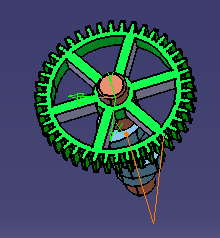
This procedure shows how to hide or show move
trajectories. By default, a move trajectory appears on the
geometry. Users can select the move activity by selecting the
trajectory and vice versa.
This procedure has two parts: hiding and showing the trajectories. |
||
 |
If you are using a .CATProcess file that was created in a release prior to release 11, move trajectories will only appear in the geometry when you are in the DPM Assembly Process Simulation workbench. | ||
 |
Hiding Trajectories |
||
|
|||
Showing trajectories |
|||
|
 .
.