
This procedure describes how to enable your system to capture images. This procedure specifically describes how to set the CaptureImage attribute for the main process (because all viewpoint activity children created under this process will then be captured). Users, however, can follow these directions (while substituting a particular activity for the process node) to set the attribute for a sub-process.

-
On the PPR tree, select the Process node.
-
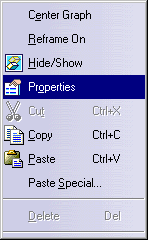
Use the right mouse button (for the context menu) and select Properties. The Properties dialog box appears.
-
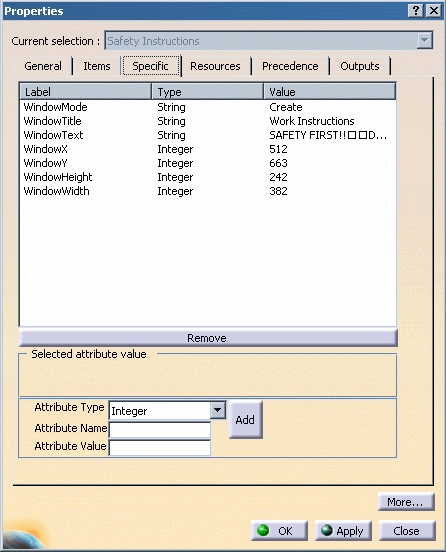
Select the Specific tab.
-
Use the pulldown menu to select the Attribute Type "String."
-
In the Attribute Name box, enter CaptureImage.
-
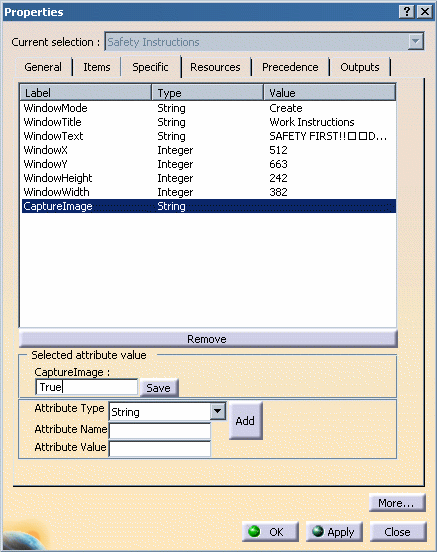
Click Add. The CaptureImage attribute appears under Label.
-
Select the attribute. The Selected attribute value box opens up.
-
Enter True in the CaptureImage box.
-
Click Save to save the state.
-
Click OK to close the dialog box.
