|
Existing resources can be copied and other
resources can be assigned with the function Copy Resource. The copied resources are independent objects
and they can be further used as such for planning. The copied resources are no longer related to the output
resource.
Copy resource is a function of the PPR Tools.
When editing DPE projects, the processes in the manufacturing hub are saved and can be further edited there.
Using the Copy Resource for MSD command
-
For resources with behavior child activities
of the resource are copied.
-
Tag points and Tasks are copied.
-
Attachments such as Weldguns are copied
-
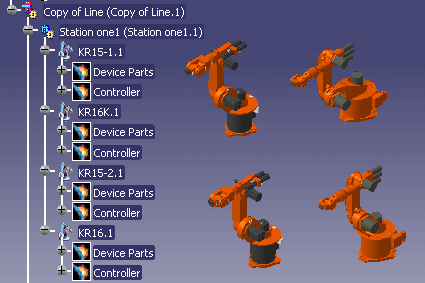
When resource structures are copied, the
entire structure is copied – for instance, if a line is copied, all
children of this line such as staions, resources and 3D graphics of
resources are copied.
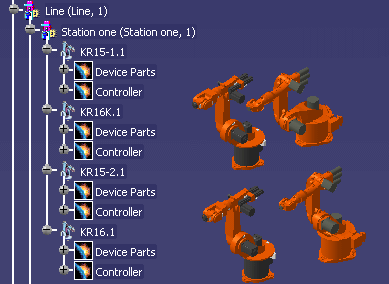
Example copy of Line
Limitations
It is not allowed to copy resources between different V5
projects.
Also, if you have a product assigned to a resource, you cannot copy
the resource directly; copy the Station activity that is the resource's
parent. |
 |
Click Copy Resource
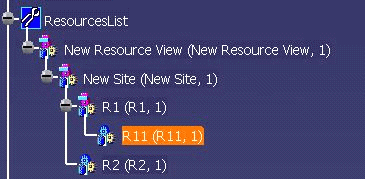
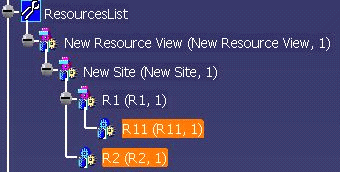
 . . Select the resource that is to be copied -- in the example, resource R11.
-
Select the target object -- in the example, resource R2.
| There are no restrictions that apply to copying with this
function. It is, for example, possible to copy the copied
resource onto itself. |
 |
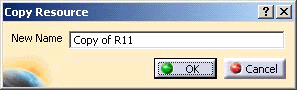
| The Copy Resource dialog box appears. |
 |
-
Enter a new name, if you wish; click OK.
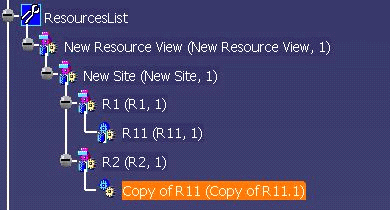
| The copied resource is displayed
in the PPR tree. |
 |
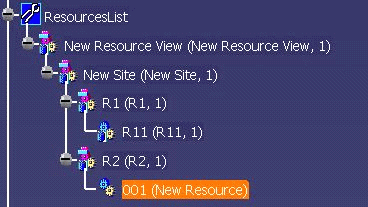
| The changes are shown in the PPR tree when
the Part Number and the Instance name are changed in the properties dialog of the new resource. |
 |
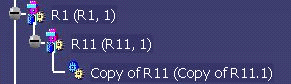
| Another example of this function is the
copying of the resource onto itself. |
 |
|