
This scenario describes how to delete a process from the PPR Manufacturing Hub Navigator window.

-
Select the process or resource to be deleted in the PPR tree.
-
Select Edit > Delete, or press the Delete key on the keyboard.
The PPR Editor dialog box is displayed: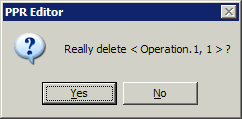
-
Click Yes to delete the selected process or resource.
The Delete Process dialog box is displayed, and provides options for how the selected process should be deleted in the Manufacturing Hub.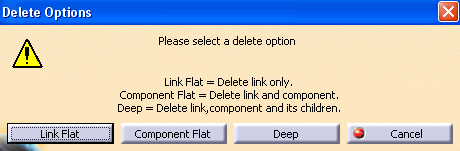
-
Select the desired option (Link Flat, Component Flat, or Deep) to delete the process or resource.
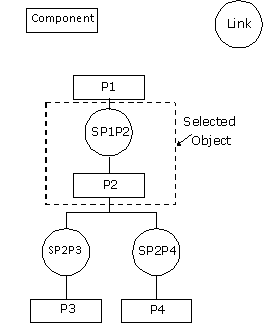
In the above image, if you select a node SP1P2 (component P2) and launch Delete command:
-
The Link Flat option deletes link SP1P2.
-
Component Flat deletes P2. Deletion of P2 internally triggers deletion of SP1P2, SP2P3, and SP2P4.
-
The Deep option deletes SP1P2, P2, SP2P3, SP2P4, P3 and P4. In the case of the Deep option, a partial structure is never deleted. Either all resources will be deleted or the deletion fails.
The deletion of a resource fails if any consistency checks performed by the server are not successful. If the process is locked by another concurrent user or if the current user lacks deletion rights, then the resource cannot be deleted.
It is not possible to delete product objects. -