


-
Select Tools > Options > Resource Detailing > Offline Programming tab.
-
Under Downloader Settings, choose Fanuc be the Selected Downloader.
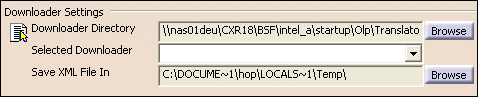
-
Under Uploader Settings, choose Fanuc to be the Selected Uploader.


|
|
This section describes how to set the default upload and download translator for Fanuc RJ TPE. |
|
|
Open the FanucRJDownload_start.CATProcess file. |
|
|
|
|
|
With the above settings, Fanuc has been made the default downloader and uploader. During download or upload i.e. Create Robot Program or Import Robot Program, the robot task will always be output or imported in TPE (language of Fanuc RJ controller). |
