


- The SLIM file is read and an XML file is generated. The commands in the SLIM file are mapped to elements in the XML file. The generated XML file is independent of the robot language.
- The XML file is read and the required activities, actions, sequences or other items are generated as specified.

-
Click Import Robot Program
 in the Offline Programming toolbar.
 -
Select resource SH-200-01.1 in the PPR tree.
A File Selection dialog box appears. -
In the File Selection dialog box, navigate to the RobotTask.3 program file and select NachiAW.jar.
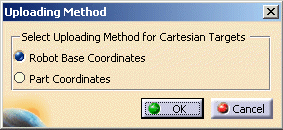
The Uploading Method dialog box opens.
-
Select Robot Base Coordinates and click OK.
An uploading progress bar displays the status of upload.
Finally the Upload Information dialog box opens. This has information about the status of upload, unparsed statements, logical errors etc.
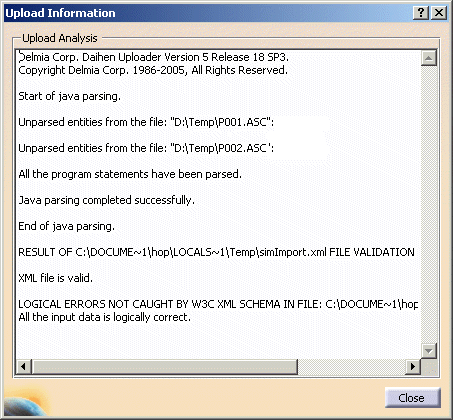
Note: Daihen will be replaced by NachiAW in the above dialog box.
-
Similarly, upload the task NachiAW_BodyPickandPlace by selecting the resource SH133-03.1.
