


- The INFORM II file is read and an XML file is generated. The commands in the INFORM II file are mapped to elements in the XML file. The generated XML file is independent of the robot language.
- The XML file is read and the required activities, actions, sequences or other items are generated as specified.
For relative job programs, object frame profiles used in the programs need to exist for uploaded tasks to work properly. These profiles can be created manually or automatically from the file UFRAME.CND during upload.
To create object frame profiles automatically, put the file UFRAME.CND in the same folder with the program file to be uploaded and select radio button Delete existing profiles to remove existing object frame profiles and to create the new ones.
The following Object Frame Profiles are created:
- ROBOT (with zero offsets)
- BASE (with very small offsets, 0.001 mm)
- User frames Object.NUM, where NUM is the number from the line //UFRAME NUM in the file UFRAME.CND.
Similarly, a Motoman robot either needs to have Tool Profiles created before uploading, or Tool Profiles can be uploaded from a Motoman tool file TOOL.CND in the same folder with the robot program. The Tool Profiles are in the following format:
//TOOL 0
///NAME
0.000,0.000,0.000,0.00,0.00,0.00

0.000,0.000,0.000
0.000
//TOOL 1
///NAME TL1

				0.000,0.000,169.500,0.00,0.00,0.00

				X,Y,Z,Yaw,Pitch,Roll

				0.000,0.000,0.000 <- centroid

				0.000 <- mass

				0.000,0.000,0.000 <- inertia (XRC only)

				0,0 <- reserved (XRC only) ...

-
Click Import Robot Program
 in the Offline Programming toolbar.
 -
Select robot SK6.1 in the PPR tree.
A File Selection dialog box appears. -
In the File Selection dialog box, navigate to the desired program file, e.g., SK6Tsk1.jbi and select Motoman.jar.
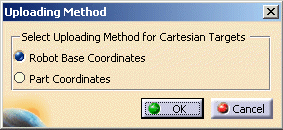
The Uploading Method dialog box opens.
-
Select Robot Base Coordinates and click OK.
-
The program SK6Tsk2.jbi called from SK6Tsk1.jbi is also uploaded, and a separate task created.
-
Repeat the above steps for robot SK16.1 and select the program SK16Tsk1.jbi to upload.
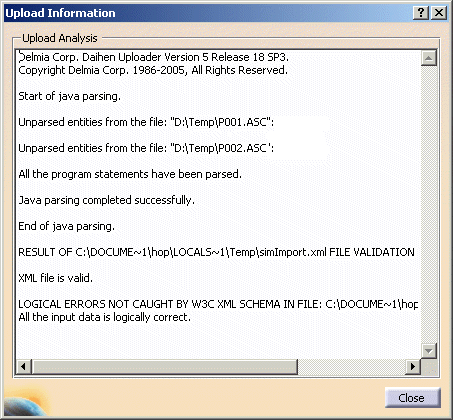
Note: Daihen will be replaced by Motoman MRC Inform II, P001.ASC by SK6Tsk1.jbi and P002.ASC by SK6Tsk2.jbi in the above dialog box.
-
Switch to Workcell Sequencing workbench.
You may have to open MotomanUpload.CATProcess once again after the switch is performed. -
Click Multiple Resource Simulation
 in the Simulation toolbar.
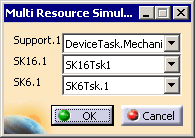
The Multi Resource Simulation dialog box appears.
-
Choose the device tasks shown above and click OK.
The Process Simulation toolbar appears. -
Click Play
 in the Process Simulation toolbar to simulate the process.
