

-
In 2D Layout for 3D Design workbench, select Tools > Import From File...
-
In the File Selection box that appears, set Files of type to IG2(*.ig2).
-
Select the IGES 2D file you want to import.
-
Click Open. A progress bar is displayed while the data are imported.
See the section 2D IGES: Import for generic information about the import of IGES 2D files. The import takes all IGES 2D settings into account with the exception of the Drafting Standard.
A new view (auxiliary view) is created in the current sheet:
- The name of the current sheet is not modified,
- The Format and Standard of the current sheet are not modified,
- By default, the view is visible in the 3D viewer and put in the xOy plane.
- If the IGES 2D file contains more than one view, the entities of all IGES 2D views are created in the current auxiliary view.
- If the IGES 2D file contains more than one sheet, the entities of all IGES 2D sheets are created in the current auxiliary view.
- There is no overlap of the sheets.
Example:
- the IGES 2D file contains those two sheets:
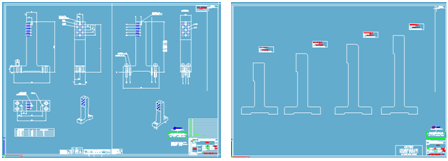
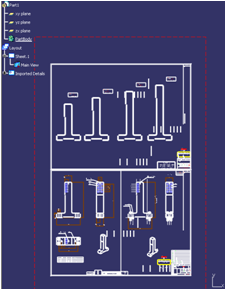
- The result is one layout sheet and an auxiliary view,
with the merge of the two IGES 2D sheets. The drawings are
juxtaposed.
Regarding the sheet background color:
- By default in 2D Layout for 3D design, the sheet background is dark blue, since it is white in Drafting. The consequence is that black lines that are frequent in IGES 2D files are not, or hardly, visible.
- To improve the visibility of the result of the import in
2D Layout for 3D design, an automatic change of black and
white colors is made, based on the background luminosity value
(between 0 and 255):
- If the background luminosity is lower than 100, the black color from IGES 2D is changed to white (both black and white are white).
- If the background luminosity is between 100 and 200, no color change is made.
- If the background luminosity is higher than 200, the white color from IGES 2D is changed to black (both black and white are black).
