

-
From the Thickness toolbar, click Share Measurement Strategy
 .
.The Apply Measurement Strategy dialog box appears. 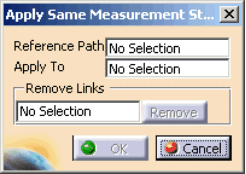

All the arrows represent features visible on the geometry from the current view; more features may be selected than are visible. -
Click the cursor in the Reference Path box.
-
Select the reference feature path from the geometry.
-
Click the cursor in the Apply To box.
The Tools Palette appears to help you select the features to which you are applying the measurement strategy. 
You can select features on the geometry or in the PPR tree. If a group or the process node is selected in the tree, all features within the group are selected. 
See About Tools Palette for information on how to use the commands in the Tool Palette. -
Select the features, then click Finish
 .
. -
Click OK.
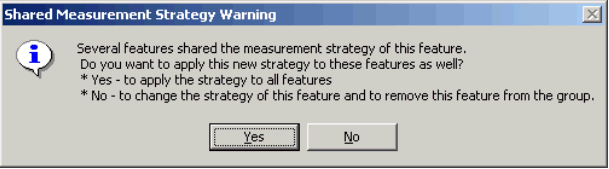
- Select Yes to change measurement strategy among all the features that share it.
- Select No to change the strategy of only one feature.
