

-
From the Thickness toolbar, select the Assign Output Alignments
 .
.The Assignment Output Alignments for Features dialog box appears. 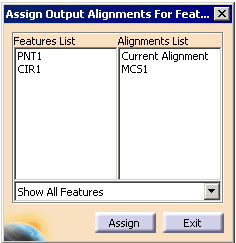
-
Select the features you wish to assign a new alignment, and then select an alignment from the list.
-
Click the Assign button.
