-
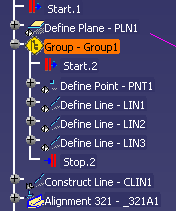
Select the group you want to reposition.
You can either select a group command, as you see below, or multi-select several sequential activities. 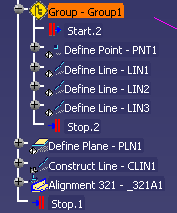
-
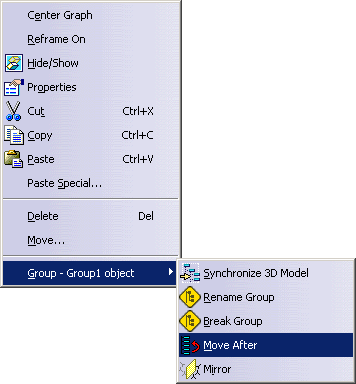
Using the right mouse button, select Group - Group1 object > Move After.
-
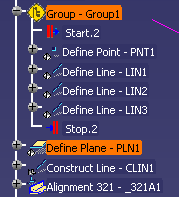
Select the activity after which you wish to position the group.
The group is repositioned within the process.