


-
Select the group you want to rename.
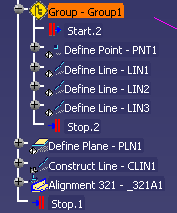
-
Using the right mouse button, select Group - group_name object> Rename Group.
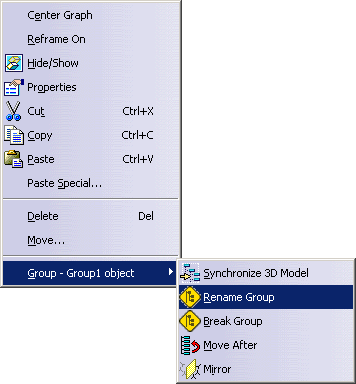
The group name dialog box appears. 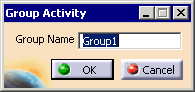
-
Enter a new name for the group and click OK.
The group is renamed.
|
|
This procedure describes how to rename a group of activities within an inspect process. | |||||
|
|
This procedure assumes that you have created a group. | |||||
|
|
|
