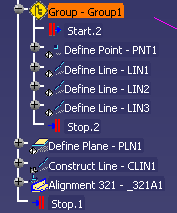
A group can consist of activities or groups. The activities may be inspection activities, such as Define a Point, or simulation activities, such as Create a Viewpoint.


-
Using Cntrl and the left mouse button, select the activities you want to group.
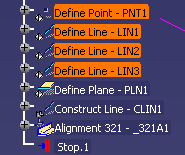
-
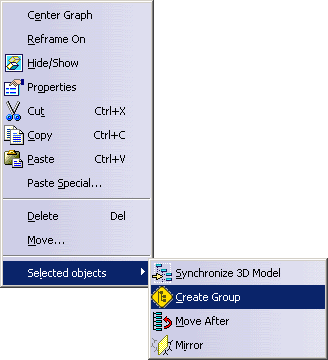
Using the right mouse button, select Selected objects>Create Group.
In the Group Activity dialog box, you can enter a group name or accept the default name. 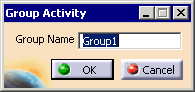
-
Enter a name for the group and click OK.
The group appears in the PPR tree in the location of the first activity selected.