|
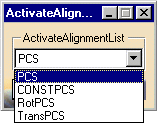
This procedure describes how to activate an alignment. | |||
 |
To activate an alignment, you must have at least one alignment defined. | |||
 |
|
|||
 |
If you create this activity before you insert a CMM into the resource list of the PPR tree, you will be asked to confirm that you wish to create the activity without a CMM assigned to it. You can assign the CMM to all the activities within the process once you are ready to insert the CMM. |
 .
.