 |
This procedure describes how to
create either simultaneous or
synchronous activities. A simultaneous activity means that both
arms are moving at the same time; a synchronous activity means that
multiple arms are moving at the same time AND arriving at specific
positions and measurements at the same time. This mode is usually used
when two arms are measuring symmetric features on two opposite sides of a
symmetric part.
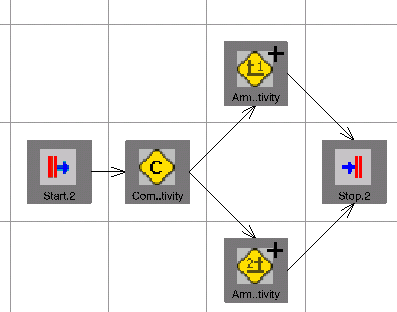
The PERT view demonstrates what is occurring during a simultaneous activity: |
||||||||||
 |
|||||||||||
 |
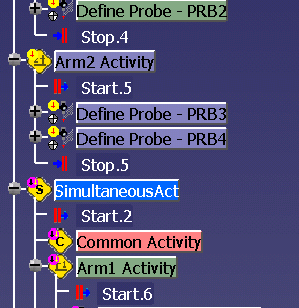
You must create both an Arm1 and Arm2 activity before you can create any simultaneous, common, or synchronous activities. Use the sample file W_ACTIVITY.CATProcess. | ||||||||||
 |
|
||||||||||
 .
.

 on the
PPR tree.
on the
PPR tree.

 can be used in the same fashion as described above.