|
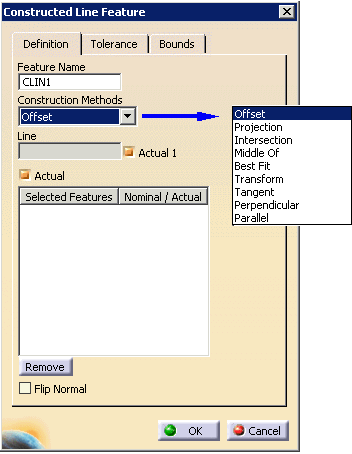
Method |
Explanation |
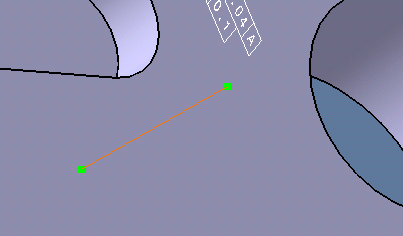
| Offset |
The constructed feature can be a
line or a plane. Required for construction:
- 1 reference feature
- 2 point reducible features
|
| Projection |
Signifies that the feature to be constructed
is to be the projection of a previously defined and measured
feature onto the specified feature. Required for
construction:
- Point reducible feature
- Line/Plane reducible feature
|
| Intersection |
Required for construction:
- Point reducible feature
- Line/Plane reducible feature
|
| Middle Of |
Required for construction:
- Point reducible feature
- Line/Plane reducible feature
|
| Best Fit |
Select at least 2 features. |
| Transform |
Signifies that the constructed feature is a
copy of the previously measured or constructed feature except
that the previously measured or constructed feature is
transformed to the specified coordinate system or to the
current coordinate system when no coordinate system has been
specified.
In an inspect context, the feature is just duplicated. To
put this feature in a different alignment, the user will have
to use the move after command and position the feature after
an Activate Alignment activity
Required for construction:
|
| Tangent |
Select two circles. The
software then provides multiple solutions (visible on the
geometry when selected in the dialog) for constructing the
line. |
| Perpendicular |
Required for construction:
- Point reducible feature
- Line/Plane reducible feature
|
| Parallel |
Required for construction:
- Point reducible feature
- Line reducible feature
|


 .
.