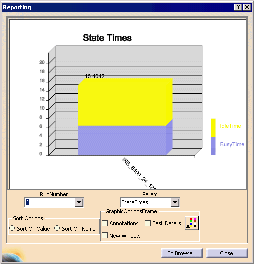
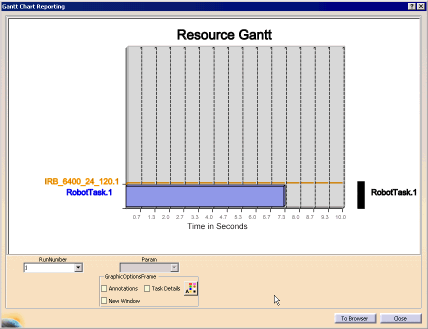
| The Reporting dialog box appears for the resource.
|
|
 |
If you have run the simulation more than once, you can use the
list under RunNumber to select the version of the
simulation for which you want data. You can also select from
among different parameters using the list under Param.
|
| |
Selecting the To Browser button puts the bar graph
in a browser instead of within the Reporting dialog box. |
| |
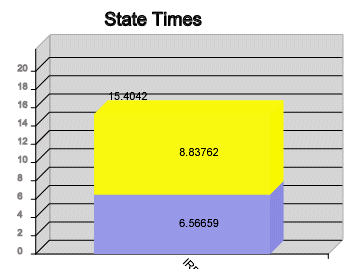
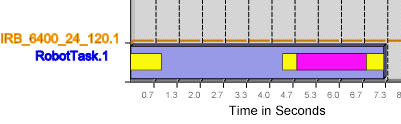
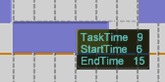
Selecting the Annotations option adds data to the
graph. |
| |
 |
| |
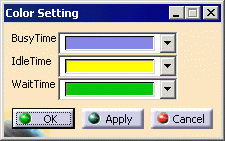
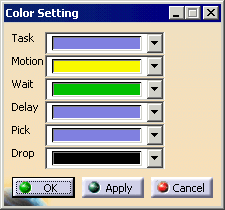
Selecting the Color Setting button enables you to alter the color settings. The default
settings are:
enables you to alter the color settings. The default
settings are: |
| |
 |
| |
Selecting a different resource while the dialog box is open
gives you the bar chart associated with the selected resource.
It is not necessary to select the Close button, and
then reopen the Reporting dialog box after selecting a different
resource. |
| |
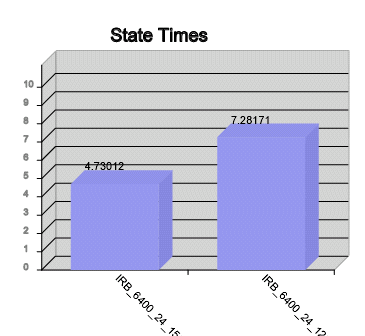
To see charts showing data from multiple resources, select
multiple resources (using the Ctrl key) before
selecting the command. You can sort the data by name or by
value. |
| |
 |
| |
To compare one run with another, select the New Window option,
then a run, and then select a different run. |


 .
.