 |
This procedure describes how to set up simulation reporting mechanisms. Previously, in Production System Analysis, once the report is setup (Report Setup Command) and the simulation is run, two XML’s are generated for each run. One is the ActivityStatistics XML and the other is the SystemStatistics XML. Both these XML’s are generated in the Result Output Directory (Set in the Tools | Option) in a folder containing name of the document and under different run folders. Each run has a different XML. This enhancement will now remove the creation of multiple SystemStatistics XML files, and provide a single SystemStatistics XML file which will contain all the simulation run statistics. |
|||||||||||||
 |
During a simulation run, details
of the simulation are collected and stored in an XML which conforms to a
particular schema. This Statistics XML data is then analyzed and then a
resulting report is generated by PSY. When completed, this file must be saved. |
|||||||||||||
 |
|
|||||||||||||

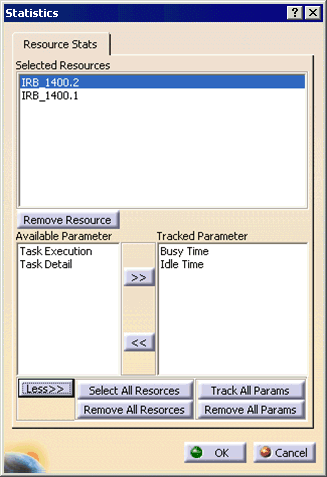
 and run the simulation with one or more robots.