|
This procedure describes how to change the
parents of a tag or
tag group. |
 |
|
| |
-
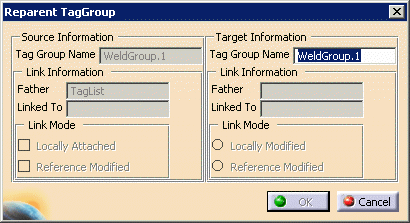
Right-click the tag group on the PPR tree, and select
Reparent TagGroup.
| The Reparent TagGroup dialog box appears. |
 |
-
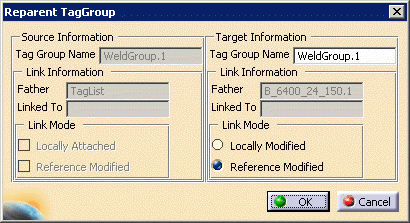
From the PPR tree or the geometry, select a new parent
for the tag group (e.g., a robot).
| The name appears in the Reparent TagGroup dialog
box. |
 |
-
(Optional) Alter the link mode (the
default value is the one assigned to the tag group originally).
-
Click OK.
|
|
Reparenting Tags
|
|
To reparent a tag, you can copy or cut the
tag, and then paste it into an existing tag group. Alternatively,
you can drag the tag into a different tag group's node, and drop it. |
 |
If a tag or a tag group has a link to a
particular operation or object, it retains that link, regardless of any
changes in its parent. |