
Controller synchronization allows you to synchronize a controller profile instance with the reference. Data can be imported from the reference, as well as propagated from the instance down to the reference.

Using Controller Synchronization
-
Click Sync Controller Data
 .
. -
Select a Device that has a motion controller. (Note that the Device must have instance and reference controller data.)
The Controller Synchronization dialog box is displayed:
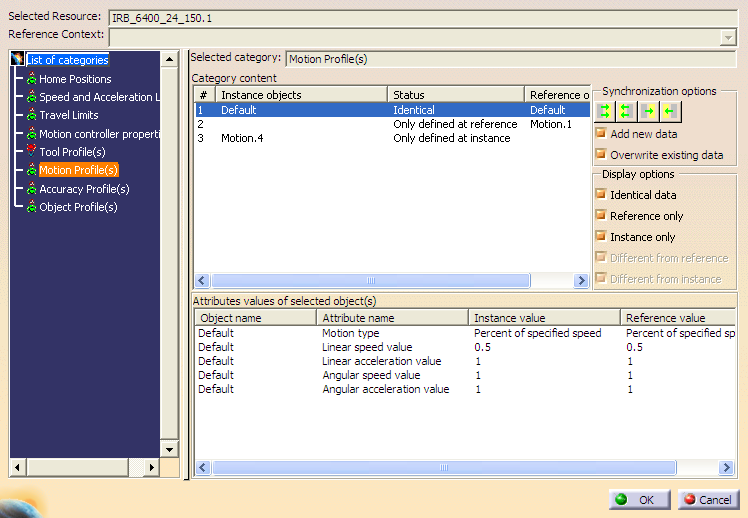
The left frame displays the List of categories that are available for the selected resource. If a selected device does not have a particular category defined (e.g., there are no home positions for the robot), it will not be displayed in the List of categories.
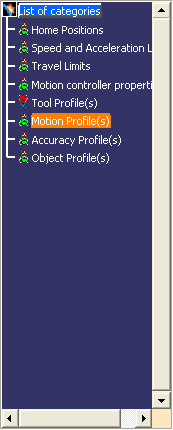
Each category can be selected to view its related objects. A status indicator next to each category indicates whether it is currently synchronized, where:
- Red: category is not synchronized
- Green: category is synchronized
-
Select a category from the List of categories.
Category content lists all of the related objects for the selected category at both the instance and reference level.
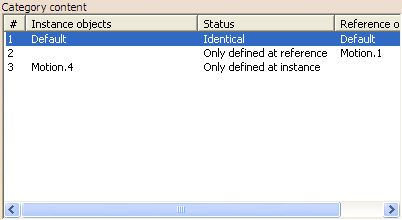
Status indicates the current synchronization state for each Instance object, where:
- Identical: both instance and reference object are identical
- Modified from reference: both objects exist at instance and reference, but the last modification was at the instance
- Modified from instance: both objects exist at instance and reference but the last modification was at the reference
- Only defined at instance: object only exists at the instance level
- Only defined at reference: object only exists at the reference level
This comparison is name-based. Objects are compared if they have the same name at the instance and reference level. There must be no objects with the same name at the same level.
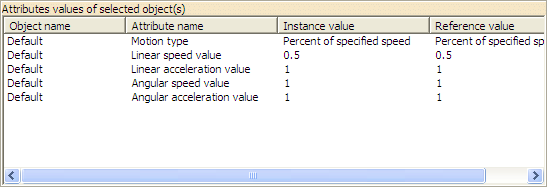
Attributes values of selected objects lists the selected objects and the instance and reference values for each.
Synchronization options allows you to choose how to import data from instance to reference and vice-versa, where:

Synchronizes all reference data of the current category from instance 
Synchronizes all instance data from reference 
Synchronizes selected reference data from instance 
Synchronizes selected instance data from reference Add new data synchronizes any new data that has been created between the source and target.
Overwrite existing data allows for existing data to be overwritten if it has been modified.
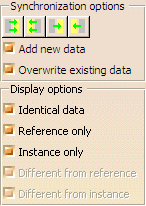
Display options allows you to filter the display of objects based on their status.
-
Select the desired options and use the Synchronization options buttons to perform the synchronization:
Notes
- When using Sync Controller Data, a reference can be modified even though it is read-only.
- To avoid introducing broken links, some data cannot be pushed towards the reference.
- Sync Controller Data only works for instance data. Selecting a reference robot will display an error message.
- Applicative profiles are not currently supported.
