

-
On the PPR tree, right-click the Controller node beneath the robot, and select Properties.
The Properties dialog box appears 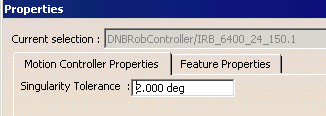
-
Select the Motion Controller Properties tab (if it is not already on top), and set the Singularity Tolerance.
-
Click OK.
