

-
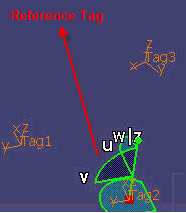
Select the Reference tag, then the target tags.
The dialog box appears. 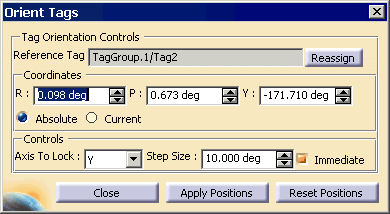
This implies that, the first selected Tag or the tag at which the compass is snapped to, becomes the reference tag. The preview of the modified orientation of the target tags can be seen in the 3D view. If the Immediate button is checked, then changing the compass orientation will be applied immediately. If it is not checked, then you need to press apply button.
If you want to lock an axis, it can be done by the combo box provided. It is used to make the tag/weld preserving the surface normal on some axis. Usually, the Z axis is normal to the surface and the re-orient should not be done on that axis. -
Click Close.

