

- A feature dictionary must already be defined.
-
The project resource management file (Profiles.xml) must specify the feature dictionary to use for the current project.

-
In the Device Attributes toolbar, click Applicative Parameter Profiles
 .
.The Create Parameter Profile dialog box appears. 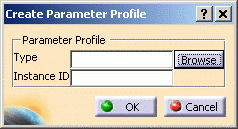
-
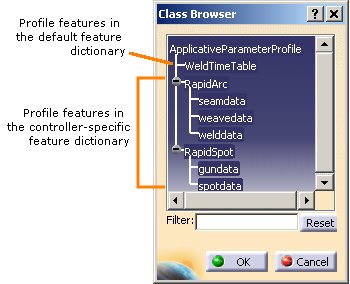
Click the Browse button to display the Class Browser dialog box, which contains hierarchical lists of all available profile types in the associated feature dictionary and the default feature dictionary. Any of the leaf node profile types may be selected for use.
-
Select a profile type and click OK. An instance of the selected applicative profile is created and displayed in the PPR tree.
Here is an example showing multiple instances of the welddata created for the robot: 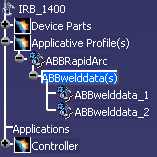

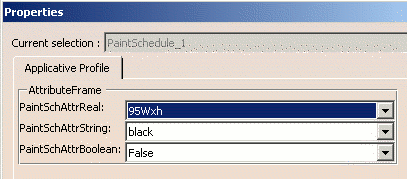
- Attributes of each applicative profile instance may be accessed via
the Properties command of its context menu:
- Applicative profile instances can be deleted via the Delete command of the profile's context menu
